What’s New in PhonePad: More Calendar Power, Smarter Messaging, and a Few Fixes Too
We’ve been heads-down working on some great improvements to PhonePad, and we’re excited to share what’s landed in this latest release. There’s a lot to like here — especially if you’re a heavy user of the Appointment Calendar. Let’s take a walk through what’s new.
Message Status Panel: Follow-Up at a Glance
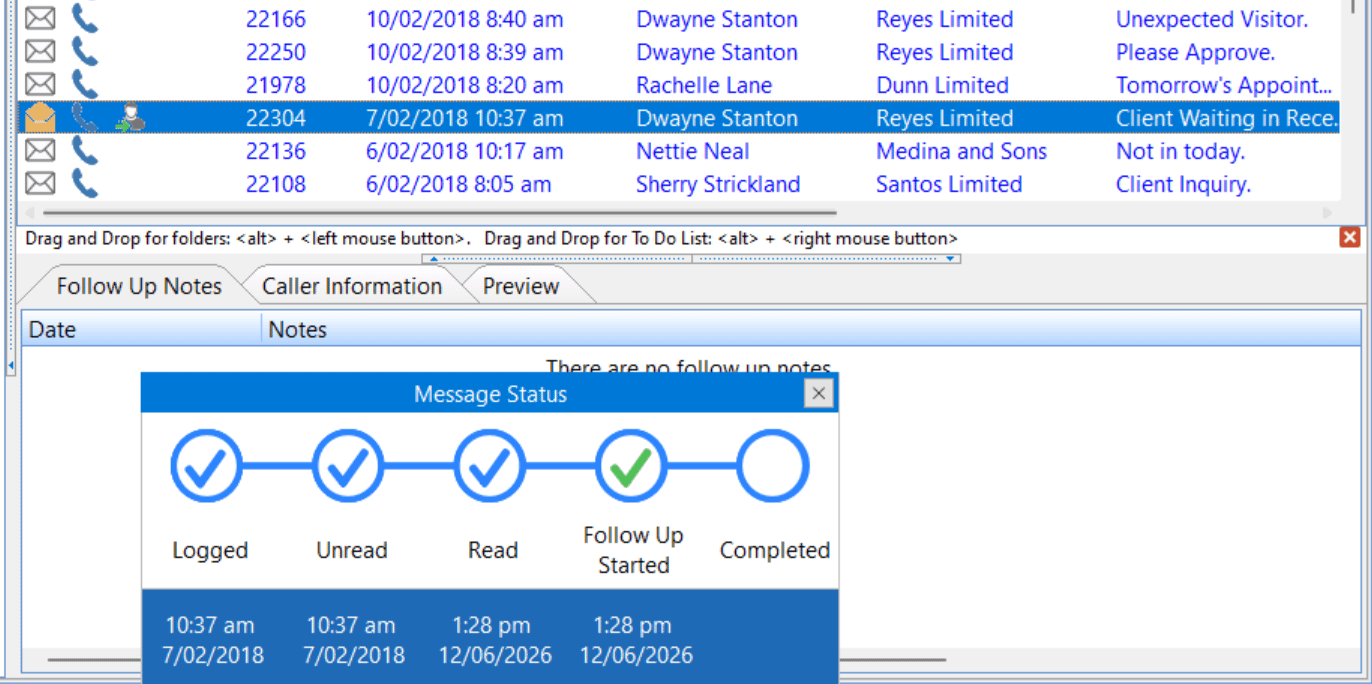
Ever found yourself scrolling through your Inbox trying to remember which messages still need a follow-up call? We have too. That’s why we’ve added a new Message Status panel that pops up right below your Inbox, giving you an instant view of the follow-up status of your messages — without having to open each one individually.
It’s a small change that makes a big difference when you’re juggling a busy day.
Appointment Calendar: Choose How You Enter Times
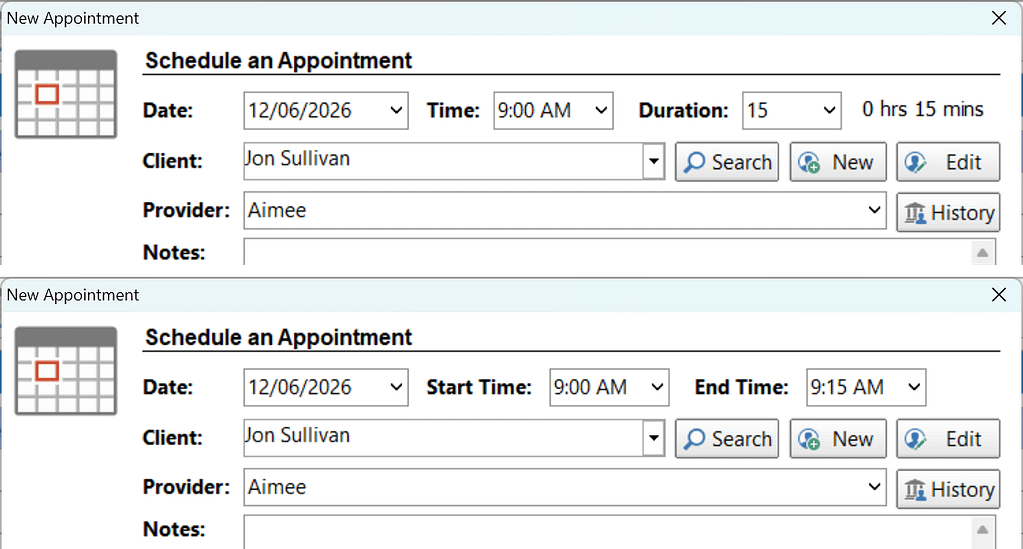
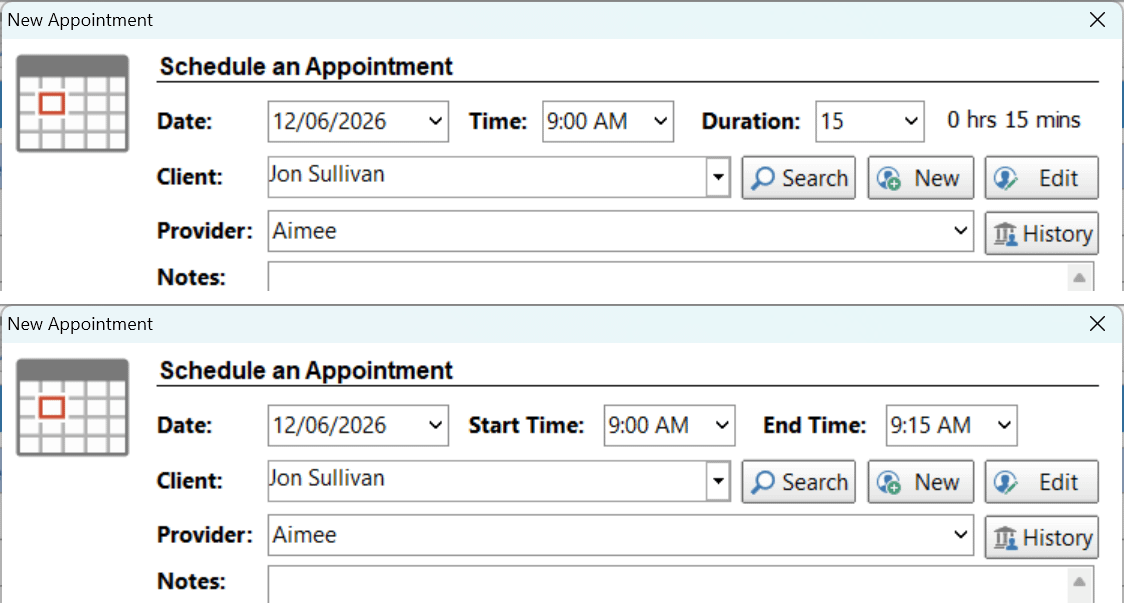
This one’s been on the wish list for a while. When adding or editing an appointment, you can now choose between two time-entry styles:
- Time + Duration — enter a start time and how long the appointment runs
- Start Time + End Time — enter a start and finish time directly
Whichever approach suits the way your office works, PhonePad now has you covered.
 Appointment Calendar: Admin Default Values
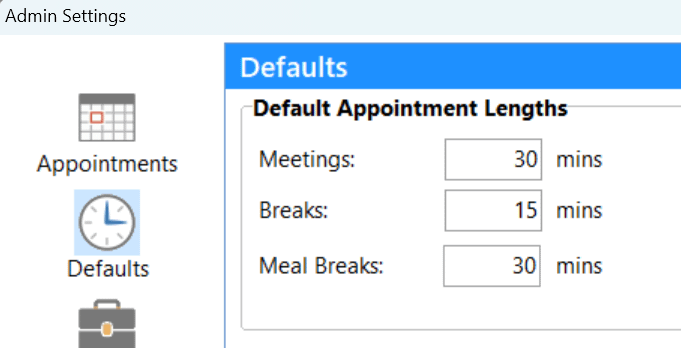
If you’re setting up appointments day in, day out, you’ll appreciate this one. Admins can now configure default values for appointment types in the Admin settings. Set sensible defaults once, and your staff won’t have to fill in the same fields from scratch every time. Less repetition, fewer mistakes — everyone wins.
Appointment Calendar: Show or Hide Subject and Room Fields
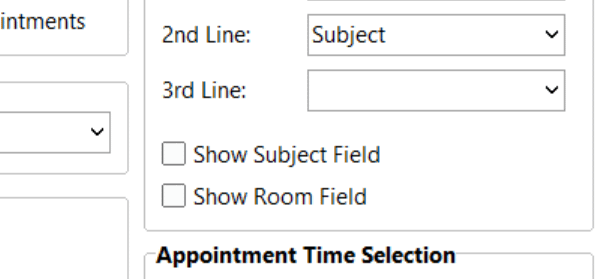
Not every office uses the Subject and Room fields on the Appointment screen — and until now, they were always there whether you needed them or not. Admins can now **show or hide these fields** via the Admin settings, giving you a cleaner, less cluttered screen if they’re not relevant to your workflow.
Appointment Calendar: Pin Appointment Details
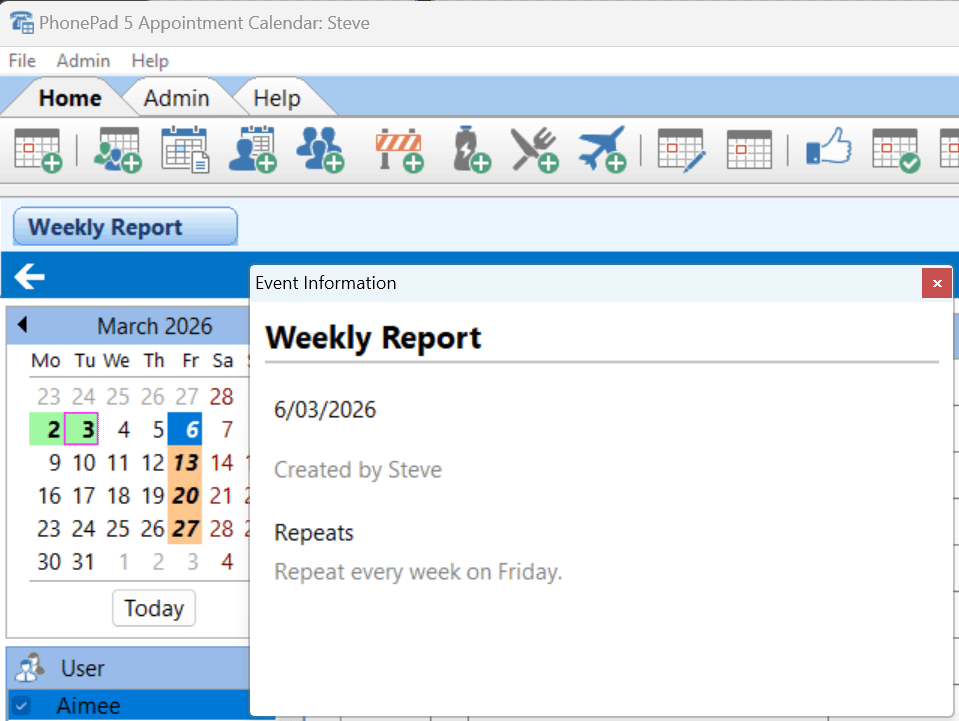
When you hover your mouse over an appointment, its details appear in the Appointment Details panel on the right. Move your mouse away, and the panel clears. Simple enough — but what if you want to keep those details visible while you do something else?
Now you can. A single click on any appointment will pin its details in the Appointment Details panel, keeping them on screen even after you move your mouse away. To unpin, just click the same appointment again, or click on any empty time slot.
Bug Fixes
We also squashed a couple of bugs that had been lurking around:
- FIXED: Smart Assistance — Auto Suggest behaving itself again.
There was an issue where Auto Suggest was firing even when you had Manual Suggest selected. That’s now fixed — PhonePad will respect your preference and only suggest when you ask it to. - FIXED: Address Book — Data saving reliably again.
In some cases, the Address Book wasn’t saving data as expected. This has been resolved, so your contact information is now being stored correctly every time.
Wrapping Up
This release is all about giving you more control — over how you view your messages, how you manage your appointments, and how your interface is configured for your specific office. We hope these changes make your day just a little smoother.
As always, if you have any feedback or run into any issues, we’d love to hear from you. Drop us a line at [email protected].
Important Information About MessageSender
This release is only compatible with MessageSender Version 6.26.0 or later. If you don’t use MessageSender then you don’t need to worry about this.
Problems?
We’re human too – for the moment anyway.
 And we’re definitely not perfect. Like most other humans, we can make mistakes. So chances are you may come across something that’s not quite working right. If you do find an error or a bug, please let us know and we’ll fix it as quickly as possible.
Installation Information
Please note: Server Updates must be installed on your Server or Host PC, not your workstation (unless your workstation is also the Host PC) – they cannot be installed directly on your workstations.
Make sure all users are logged out of PhonePad as the PhonePad Server will be stopped during the update and then restarted once it has completed. Workstations will be automatically updated when PhonePad 5 Workstation is started on each workstation.
Important: When downloading and installing an update from your My PhonePad account, make sure it’s actually the update and not the server setup program.
How Updates Work
Please read: You do not need to install every update between this one and the last update you installed. PhonePad uses a smart update system that compares your current PhonePad system with what’s in the update, works out what changes are required, and then makes those changes. So if you are a few versions behind don’t worry. You can skip all of the updates in between and go straight to this update.
Updates and Anti-Virus Software
Depending on the anti-virus software you use, when you install a Server Update your AV software may class the updated software as a different program due to the change in binary signature.
If you experience speed or freezing issues after an update, you may need to reconfigure your AV software to stop real-time scanning of PhonePad. This may need to be done on the both your Server or Host PC, and your workstations.
 Digital Signatures

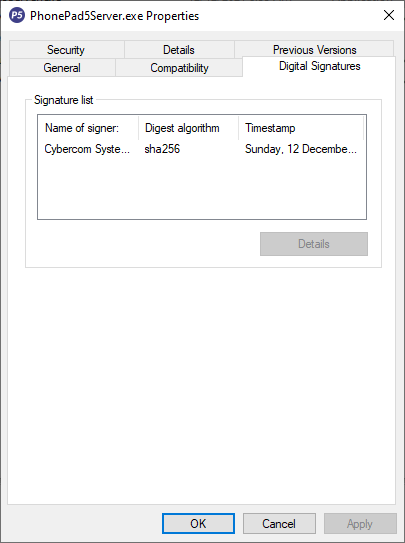
All PhonePad executables and DLLs are digitally signed for your protection.
 You can confirm that a file is safe by right-clicking on it and selecting Properties from the popup menu, and then selecting the Digital Signatures tab.
 Downloading the Update
You can download the update from your My PhonePad account.
If you are a current trial user you can download the update by logging in to My PhonePad Trial using the email address you used to start your trial.
Please contact Support if you have any problems or questions.
Installing Updates
Unsure on how to install updates? Please watch the video on this blog post.
If you are a licensed user you will need to have a current PhonePad Care Plan to install this update.
If your Care Plan has expired, you will need to renew it before you can install this update.
Trial users can install the update if they are still in their trial period.
Update Installation Service
If you would rather have the Server Update installed for you, you can arrange for us to remote connect and install it.
The cost is $45 and you can schedule a date and time here: https://www.cybercom-software.com/remote-server-update-assistance.htm .
We have been helping businesses like yours for over 30 years.